eISF and Remote Monitoring: Site Access Without Losing Control
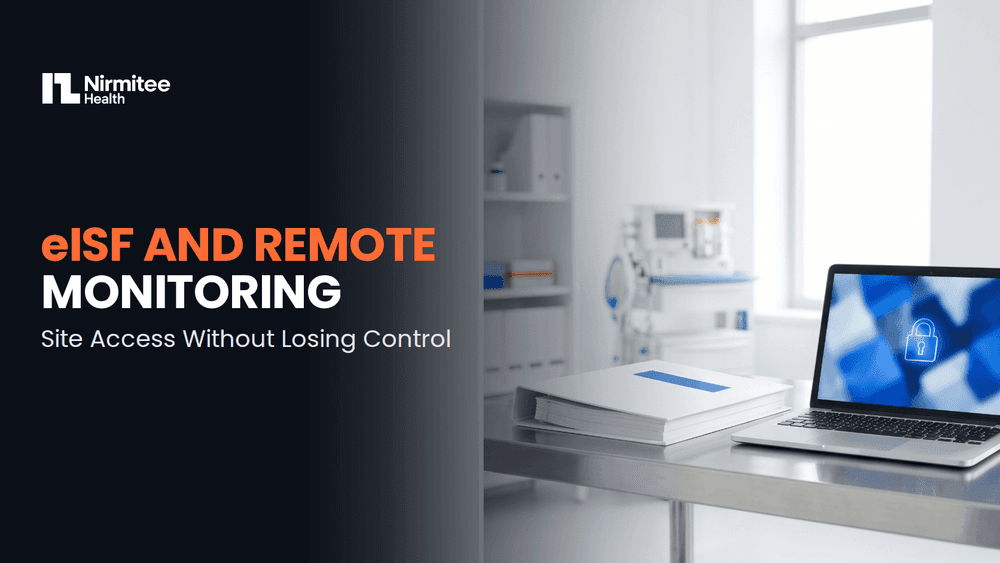
Remote monitoring requires a monitor to see site documents. Document control requires that the site keeps custody of them. Both hold if access is scoped by role, limited to the documents a visit needs, bounded in time, and logged at document level. The site grants a view. Nothing moves.
The tension is real but it is not a genuine conflict. It looks like one because the default configuration in most systems resolves it badly: a single permission level, granted once, that opens the whole file indefinitely and records nothing more specific than a login.
This guide sets out the three files involved, the four-layer access model that resolves the tension, and the three settings that go wrong on almost every study. It sits under which system owns which part of the study.
After reading this you will be able to:
- Explain why the site file is not a view of the sponsor file
- Configure access in four layers rather than one permission level
- Find the three misconfigurations most studies are currently running
- Answer what a monitor reviewed on a given visit, from the log
Three Files, Not Two
Most confusion about eISF access comes from treating the site file as a subset of the sponsor file. It is a separate record with a separate owner.
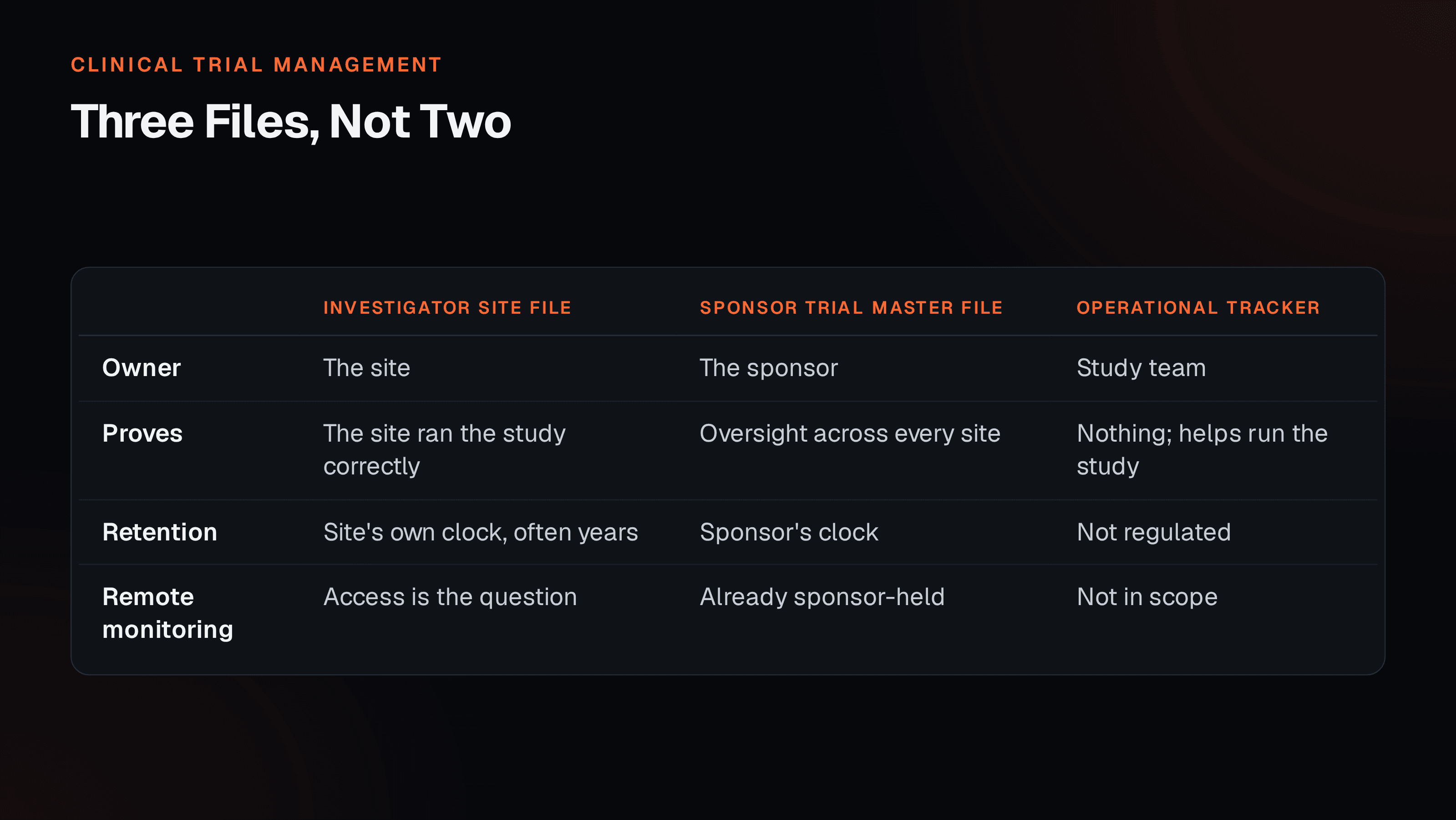
The site holds its own evidence that it ran the study correctly at that location, and it retains that obligation after the study closes, often for years. The sponsor holds oversight evidence across every site. Where they overlap, both copies exist legitimately and both have their own retention clock.
Remote monitoring is a question about the first column only. The site is granting a view of its own file. Framing it as the sponsor collecting documents produces an implementation that the site will resist and that muddies custody when someone later asks who held what.
A Four-Layer Access Model
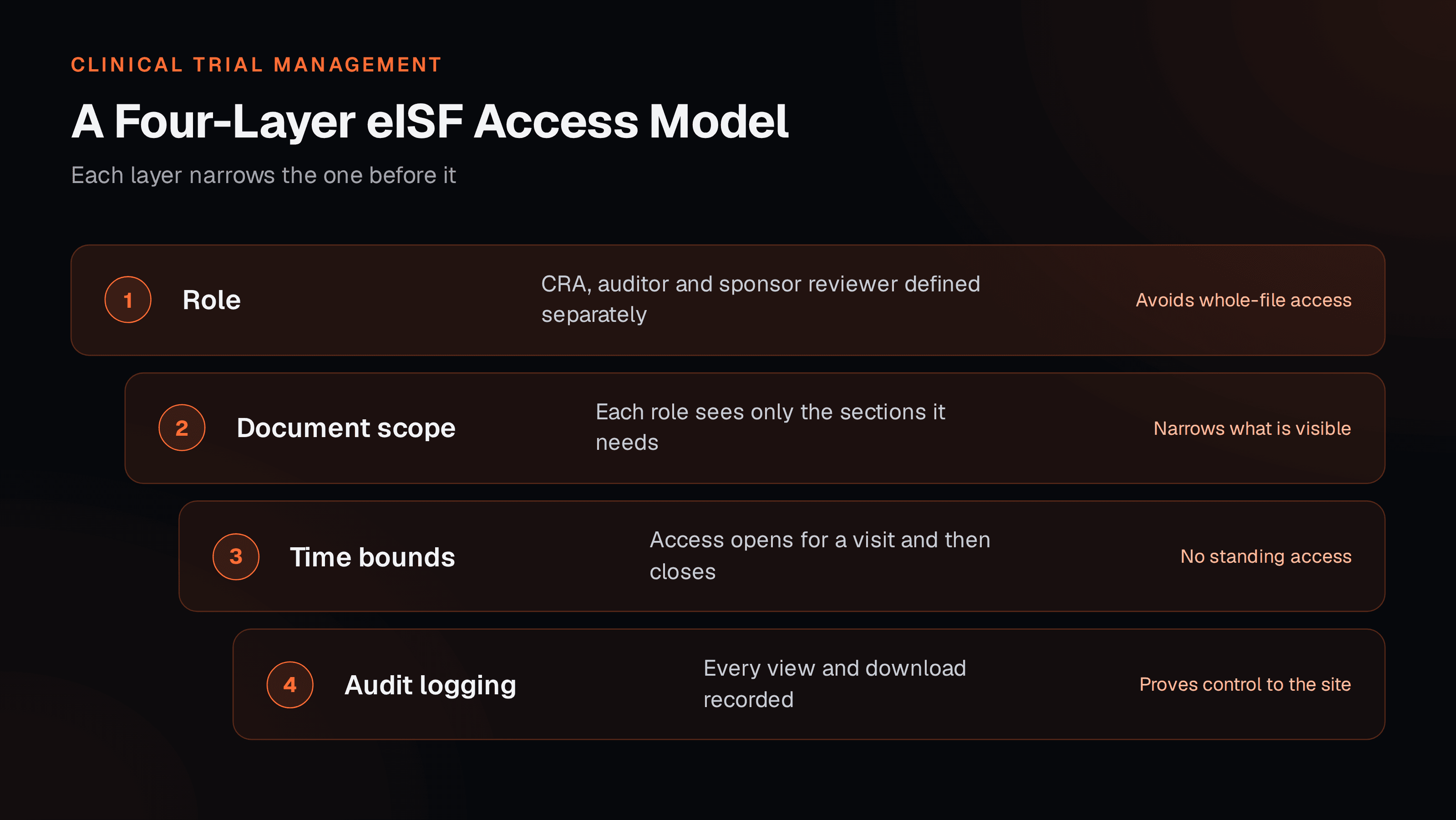
Configure them in that order, because each layer depends on the one above. Roles first: a CRA conducting a routine visit, an auditor, and a sponsor reviewer responding to a safety question need genuinely different things, and collapsing them into one role is what forces whole-file access.
Then scope, then time, then logging. The logging layer is the one teams treat as optional and the one that answers the question an inspector is most likely to ask, which is what a given monitor actually reviewed on a given date.
Three Settings Teams Get Wrong
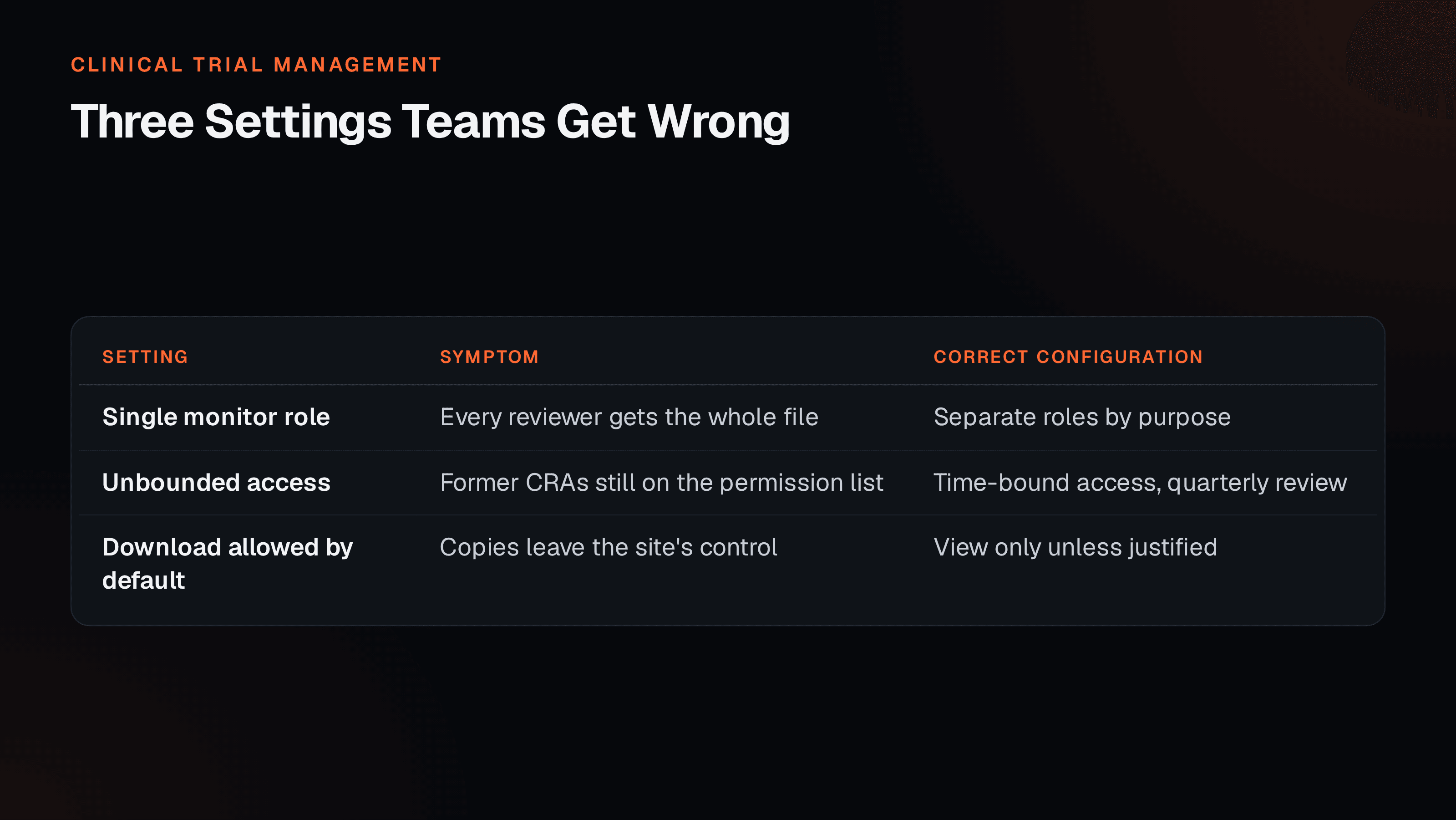
None of these is carelessness. Each is a reasonable-looking default chosen at configuration time, when the priority is getting sites activated and the monitoring implications are abstract.
The unbounded access one compounds quietly. Every CRA who ever worked on the study accumulates in the permission list, and because nothing breaks, nobody reviews it. A quarterly access review, reading the current list against the current monitoring roster, takes minutes and is the single highest-value habit in this area.
What This Does and Does Not Change About Verification
Remote access changes where verification happens. It does not change what should be verified or how much.
The extent of source data verification follows from a risk assessment: which data matter to participant safety and to the reliability of the results, and what could plausibly go wrong with them at this site. Remote access makes it practical to check those items without travel, and it makes it equally practical to check far more than the risk assessment justifies, simply because it is now easy.
That second effect is worth naming, because effort that is easy tends to expand. The monitoring plan should still say what is checked and why, and remote capability should change the logistics rather than the scope. How that reasoning is documented is covered in turning ICH E6(R3) principles into a plan a team can run.
The Site Side of It
Sites carry the operational cost of remote monitoring, and their experience determines whether it works in practice.
Two things matter more than the feature list. Whether granting access is a single action or a request that sits in a coordinator’s queue for days, and whether the site can see what was accessed without asking the sponsor. A site that can open its own log and see exactly what a monitor reviewed is a site that stops worrying about the arrangement, and that visibility costs nothing to provide.
It is also worth remembering that the site file and the sponsor file diverge over time unless someone maintains the overlap deliberately. The document-level split between the operational tracker and the evidence file is covered in which system owns which document.
An Access Review You Can Run Quarterly
- List every account with access to any site file, and match it to the current monitoring roster.
- Remove anyone no longer on the study, and note the date.
- Check whether any access has no end date. Bound it.
- Check whether any role can see folders the visit type does not require.
- Confirm download is an exception rather than a default, and review the exceptions.
- Open the log and confirm you can answer what one monitor viewed on one visit.
Clinera eISF is configured to the four-layer model by default, and Clinera eTMF holds the sponsor side of the overlap so the two files stay reconciled rather than drifting.
References
- ICH E6(R3) Good Clinical Practice, monitoring and site records. International Council for Harmonisation, adopted 6 January 2025. www.ich.org
- 21 CFR Part 11, Electronic Records; Electronic Signatures. US Code of Federal Regulations, Title 21, Part 11. www.ecfr.gov
- TMF Reference Model. CDISC TMF Reference Model community. www.cdisc.org
This guide describes process and regulatory expectations in general terms and is not legal or regulatory advice. Confirm the current version and applicability of any standard or guidance for your study and region.
Frequently Asked Questions
What is the difference between an eISF and an eTMF?
They are different files with different owners. The investigator site file belongs to the site and holds what that site needs to show it ran the study properly at that location: staff credentials, local ethics correspondence, site training, source records. The trial master file belongs to the sponsor and holds oversight evidence across all sites. Some documents legitimately sit in both, with different retention obligations. An eISF is not a site-facing window onto the sponsor file.
Does remote monitoring mean the sponsor takes control of site documents?
No, and configuring it that way is the mistake worth avoiding. The site remains the owner and custodian of its file. What remote monitoring requires is a scoped, time-bound, logged view of specific documents for a specific purpose. Nothing needs to move, and nothing needs to be copied. If your implementation involves sites uploading documents into a sponsor system as the primary mechanism, the ownership question has been answered in a way that may create problems later.
What is the most common permission mistake?
Access granted once at site activation with no end date. It feels efficient and it means monitors who rotated off the study eighteen months ago still hold live access to site documents. Time-bounding access to the monitoring visit window, and renewing it deliberately, costs a few minutes per visit and removes an entire category of finding. The second most common is whole-file access where the visit only required three folders.
Should monitors be able to download site documents?
Default to view-only, and treat download as a named exception with a reason recorded. Once a document leaves the system it exists on a laptop outside any audit trail, in a version that will not update when the site supersedes it. There are legitimate cases, but they should be decisions rather than the default configuration, and the exception should be visible in the access log.
How does this affect source data verification?
Remote access changes where verification happens, not what is being verified or how much. The extent of source data verification should still follow from your risk assessment rather than from what is now technically convenient to view. Under a risk-proportionate approach, the question is which data matters to participant safety and result reliability, and remote access simply makes it possible to check those items without travel.
Can Nirmitee Healthtech review our current site access configuration?
Yes, and it is usually a short exercise with a clear output. The review walks your existing roles, checks each against the four-layer model, and lists where access is unbounded in time, unscoped by document type, exportable by default, or logged only at login level. Clinera eISF is configured to that model, but the review is useful on whatever system holds your site files today.