Sources
Two Registries, Two Interfaces
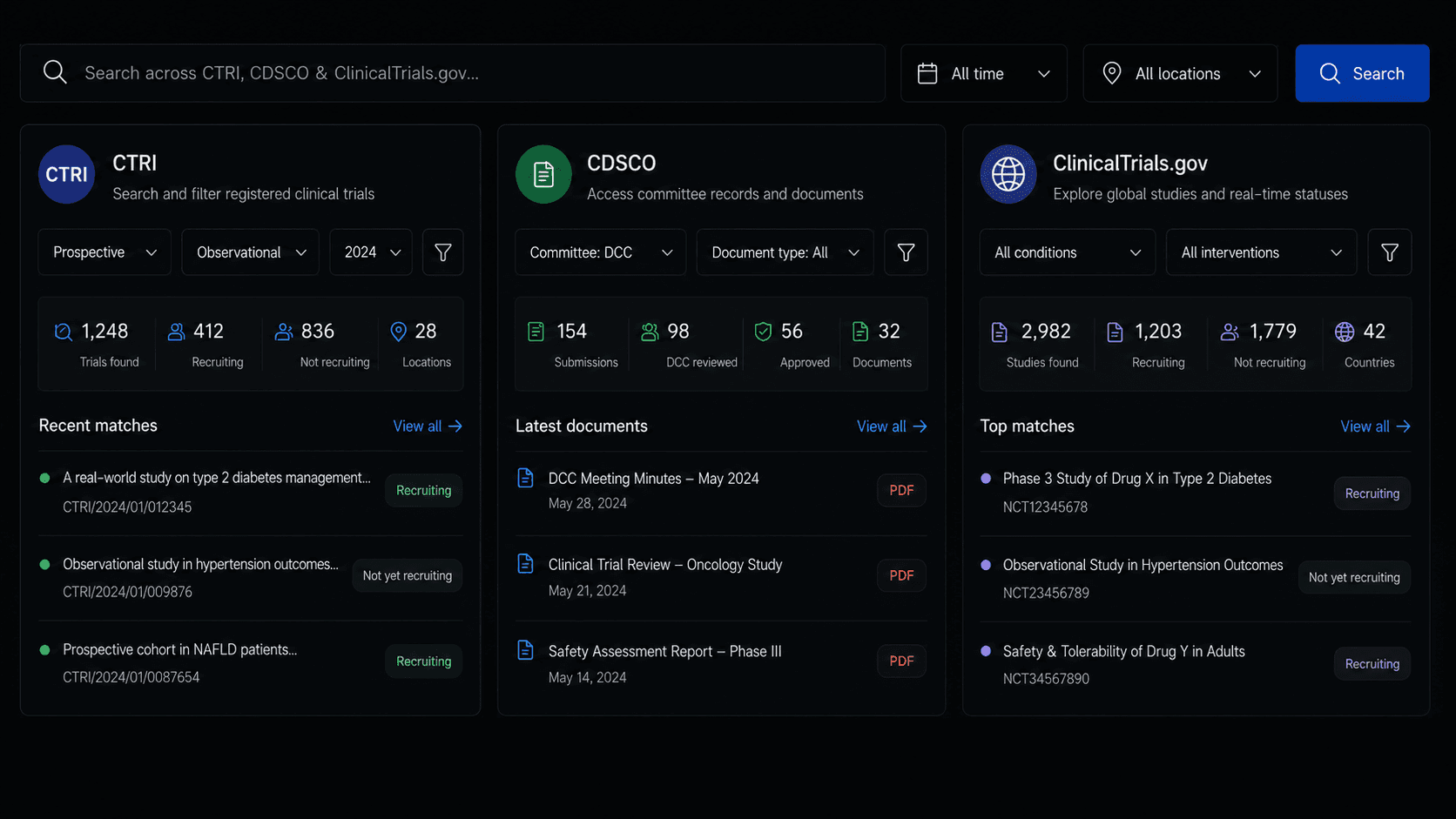
CTRI and ClinicalTrials.gov structure and filter data differently, so planners search twice and reconcile by hand.

Clinera Scout
Clinera Scout helps study planners monitor competing trials across a region, checking whether they are prospective or retrospective and analyzing target patient cohorts, so you know who is already recruiting your patients before you commit to sites and timelines.
The Competing-Trial Problem
Registries hold the answer: which protocols are active, where, and for whom. Pulling it out means manual searches on different portals, repeated for every region.
CTRI and ClinicalTrials.gov structure and filter data differently, so planners search twice and reconcile by hand.
Country-level counts hide when three diabetes trials are already recruiting in the same district you were about to open.
Whether a competing study is prospective or retrospective changes what it means for recruitment, but it is rarely visible without opening each entry.
What Clinera Scout Does
Structured registry search, filtered the way a study planner thinks: by how the trial is designed and by where it recruits.
Filter registry searches by prospective or retrospective designs to analyze how competitors are structuring trials.
Search active studies by state and district to assess recruitment density and identify investigator sites.
Features
Feature 1
Prospective vs. retrospective filter - Applied at query time across both registries.
Design analysis - See how competitors structure trials for your condition: arms, control and cohort scope.
Cohort overlap - Compare a competing protocol target population against your own inclusion scope.
Design Filter
Structured workflow record
Feature 2
State and district filters - For India via CTRI, with state-level views for ClinicalTrials.gov.
Density read-out - How many active protocols for your condition are already recruiting in a district.
Investigator site discovery - Sites named on active protocols become candidates for your own study.
Regional Density
Structured workflow record
Scout Configuration
Five inputs define a scan. This example looks for active Type II Diabetes Mellitus trials in Pune district, Maharashtra, across both registries, split by design.
Trial Category
Registry
State Filter
District Filter
Target Condition
Trial CategorySelect one or both to understand whether a competitor is enrolling forward or analyzing records.
RegistryOne query across both sources, normalized into a single list.
State / DistrictNarrow to the district level to see density where site decisions are made.
Target ConditionReturns registered protocols with their cohort scope.
| Protocol | Registry | Design | Status | District | Cohort Scope |
|---|---|---|---|---|---|
| Protocol A | CTRI | Prospective | Recruiting | Pune | T2DM, adults 30-65, HbA1c > 7.0 |
| Protocol B | CTRI | Prospective | Recruiting | Pune | T2DM with CKD stage 2-3 |
| Protocol C | ClinicalTrials.gov | Retrospective | Active, not recruiting | Pune | T2DM records 2018-2024 |
How It Works
Step 1
Trial category, registry, state, district and target condition.
ConfiguredStep 2
Scout queries CTRI and ClinicalTrials.gov and normalizes the results.
ScanningStep 3
Active protocols listed with design, status, district and cohort scope.
ResultsStep 4
See how crowded the district is and which sites are already active.
AssessedStep 5
Push candidate investigator sites into Clinera Find for scoring.
To FindUse Cases
Before shortlisting sites, see which districts are saturated with competing prospective trials.
Check competitor design, cohort scope and status before finalizing your own protocol.
Sites running active protocols in a target region are proven capable in that indication.
When a site under-recruits, check whether a competing trial opened nearby since selection.
Why Clinera Scout
2 to 1
CTRI and ClinicalTrials.gov are searched together and normalized into the same view.
District
State and district filters put density at the level where a site is actually chosen.
Connected
Investigator sites surfaced by Scout move into Clinera Find for scoring, then into the Study Builder.
Specifications
FAQ
Scout searches the Clinical Trials Registry - India (CTRI) and ClinicalTrials.gov, so planners can monitor competing protocols from one interface.
Yes. Registry searches can be filtered to prospective or retrospective designs, letting you analyze how competitors are structuring trials for the same condition.
Searches can be narrowed by state and district, for example Maharashtra and Pune, to assess recruitment density in a specific area.
Scout surfaces each active protocol target condition and cohort scope as registered, so planners can see overlap with their own inclusion scope.
Investigator sites surfaced by Scout can be shortlisted in Clinera Find, where they are onboarded and scored against trial criteria.
Next Step
Give us one condition and one district. We will run the scan and read the landscape with you.
From our insights

A CTMS tracks the study, an eTMF proves it happened, an eISF gives sites their copy. Where each boundary…

Most SDTM pain starts in the eCRF, not the mapping spec. The CDASH design decisions that make submission…

Query volume rarely spikes because sites got worse. It spikes because edit checks were written for the…