Data Management
Every Question Becomes a Request
A medical monitor who wants a cut of the data raises a request, waits for a listing, then finds the answer prompts a second question.
AI Agent for Clinical Study Data
Ask questions in plain language and get traceable findings from live EDC and CTMS data.
Ask Ira
Plain-language query
Structured Answer
3 sites require attention. Highest risk: Pune-04, with 18 ageing queries and 6 expected forms missing.
Evidence Drill-Down
Result links to records
Source
EDC + CTMS
Audit
Logged
The Problem
Study data holds the answer to almost every operational question a team has. Reaching it usually means a listing request, a queue and a spreadsheet that is already ageing.
A medical monitor who wants a cut of the data raises a request, waits for a listing, then finds the answer prompts a second question.
Missing forms, site outliers and data anomalies are found when someone looks. Between reviews, a pattern can run for weeks.
Study status decks, CRA pre-visit summaries and medical review briefs are assembled manually from data the system already holds.
The Solution
Ira sits inside Clinera with read access to live EDC and CTMS data. Every answer opens to the records behind it. The agent surfaces findings; the study team decides what they mean.
Complex operational and clinical questions answered without a listing request or a programmer in the loop.
Anomaly and outlier detection scans the study database around the clock rather than at review points.
eCRF data cross-referenced against inclusion and exclusion criteria to flag non-compliance as it appears.
Each finding links to the subject, visit and form records it was derived from, so nothing has to be taken on trust.
How It Works
The same path applies whether a person asks a question or the agent raises a signal on its own.
A team member asks a question in plain language, or a continuous scan raises an anomaly, outlier or missing form.
Ira reads live EDC and CTMS data within the permissions of the person asking, including blinding restrictions.
The answer arrives as a structured result set that opens to the underlying subject, visit and form records.
The team acts on the finding, or exports it into a study status report, pre-visit summary or medical review brief.
Capabilities
Four capability blocks cover conversational querying, continuous risk detection, protocol compliance checking and report generation.
Feature 01
Ask the question you would have sent to a programmer, and get the answer while you are still thinking about it.
Conversational Query
Follow-up in Context
5 subjects found
Feature 02
Continuous scanning for the patterns a monthly review is designed to catch.
Risk Signals
Continuous Scan
Feature 03
Check what was recorded against what the protocol requires, continuously.
Protocol Check
Eligibility Conflict
Criterion Mismatch
Inclusion criterion not met for one enrolled subject.
Feature 04
Produce recurring documents from the data instead of rebuilding them each cycle.
Generated Summary
Status Report Draft
Week 18 Study Status
Draft76%
Enrollment
91%
Data Complete
07
Open Risks
Use Cases
Four recurring jobs where the delay between question and answer costs the most.
Work through a safety review by asking successive questions of live data, instead of waiting on a listing that answers only the first one.
A CRA arrives at a site knowing what changed since the last visit, what is outstanding and which subjects need source verification.
Missing forms and anomalies surface continuously, so cleaning happens across the study rather than in a scramble before database lock.
Study status packs generated from current data remove the lag between the number in the deck and the number in the system.
Workflow
Four roles ask different questions of the same study data, within the permissions their role allows.
Query data completeness, find missing forms and anomalies, track query ageing across sites.
Cleaning runs continuously instead of concentrating before lock.
Interrogate safety data directly, generate medical review briefs and follow a line of questioning to its end.
Review depth is no longer limited by listing turnaround.
Read site performance outliers and study status without commissioning a report.
Status available on the day it is needed.
Surface protocol deviations and compliance gaps against eligibility criteria.
Deviations found during the study rather than at close-out.
Why Ira AI
Every result links to the records it came from. An answer you cannot verify is not usable in a regulated study, whatever produced it.
Ira reads study data and raises findings. It does not edit records, close queries or make decisions, which keeps accountability where a regulator expects to find it.
Because Ira sits on the same platform as the EDC and CTMS, there is no export step, no copy of the study database and no lag between the data and the question.
Specifications
Ira AI runs inside the Clinera platform and operates within its security, audit and access-control model.
FAQ
Answers are produced by querying the study database rather than by the model recalling or estimating, and every result opens to the subject, visit and form records that produced it. Ira's output is a fast first pass that a human confirms against source.
Yes. Ira queries under the permissions of the person asking rather than with elevated access of its own, so a blinded role receives no treatment-revealing data through the agent. A question requiring unblinded data returns nothing for a blinded user rather than an approximation.
No. Ira has read access only. It surfaces findings and drafts documents; people act on them. This keeps accountability for a query raised or a record changed with a named person.
No. ICH E6(R3) puts weight on quality by design, so the operational parameters of AI-assisted monitoring should be written into the monitoring plan rather than added mid-study. Ira gives your RBM approach continuous detection where it currently has periodic review, but the plan, thresholds and decisions stay yours.
Current guidance, including the ISPE GAMP AI guide, expects AI systems in GxP settings to carry validation documentation and audit records as rigorous as conventional computerised systems, plus the model version in use at inference, prompt-level logging and monitoring for behaviour drift after deployment. Nirmitee supplies that documentation and records model version against every generated output. Your quality team owns the validation decision.
Next Step
Bring the three questions you most often send to data management. We will ask them of a live study on the call and open the records behind each answer.
From our insights
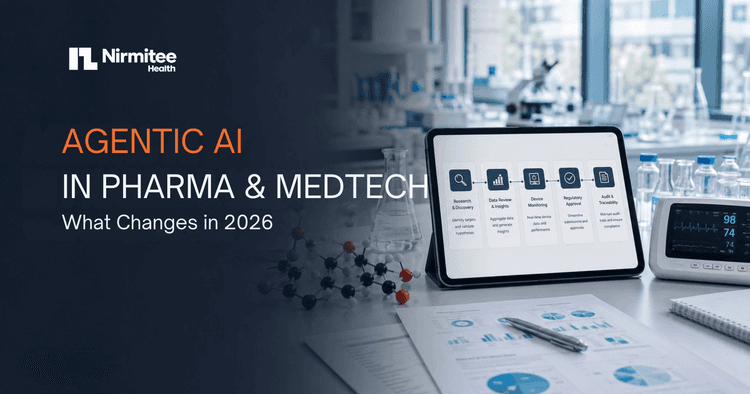
How agentic AI moves pharma and MedTech from assistants that answer to agents that execute, across…

Where publication timelines are lost after last patient out, and how electronic data capture, query cycles…

Paper CRFs, scattered data, slow queries and delayed publications: five signs a clinical research workflow is…